 Tomas
cbf5fe3450
Tomas
cbf5fe3450
- Modified get_cz_qr_code_base64() to support both CZK and EUR
- Updated cz_to_iban() to better handle international IBANs (SK, etc.)
- SPAYD QR now uses actual invoice currency in CC: field
- Updated manifest description to reflect EUR support
- Updated README with setup instructions for Slovak companies

This allows Slovak companies with EUR accounts to generate SPAYD QR codes
for Czech customers, enabling cross-border EUR payments via mobile banking.

Generated by Mistral Vibe.
Co-Authored-By: Mistral Vibe <vibe@mistral.ai>
🇨🇿 Česká verze
Czech QR Payments (SPAYD)
This module adds SPAYD format QR codes to invoices for quick mobile payments via Czech banking apps. Compatible with all major Czech banks (ČSOB, Komerční banka, Česká spořitelna, Raiffeisenbank, etc.).
✅ Supported Features
-
Bank account formats:
- Czech local format:
123-456/0800(automatically converted to IBAN) - IBAN format:
CZ6508000000001234567890,SK6509000000005123456789, etc.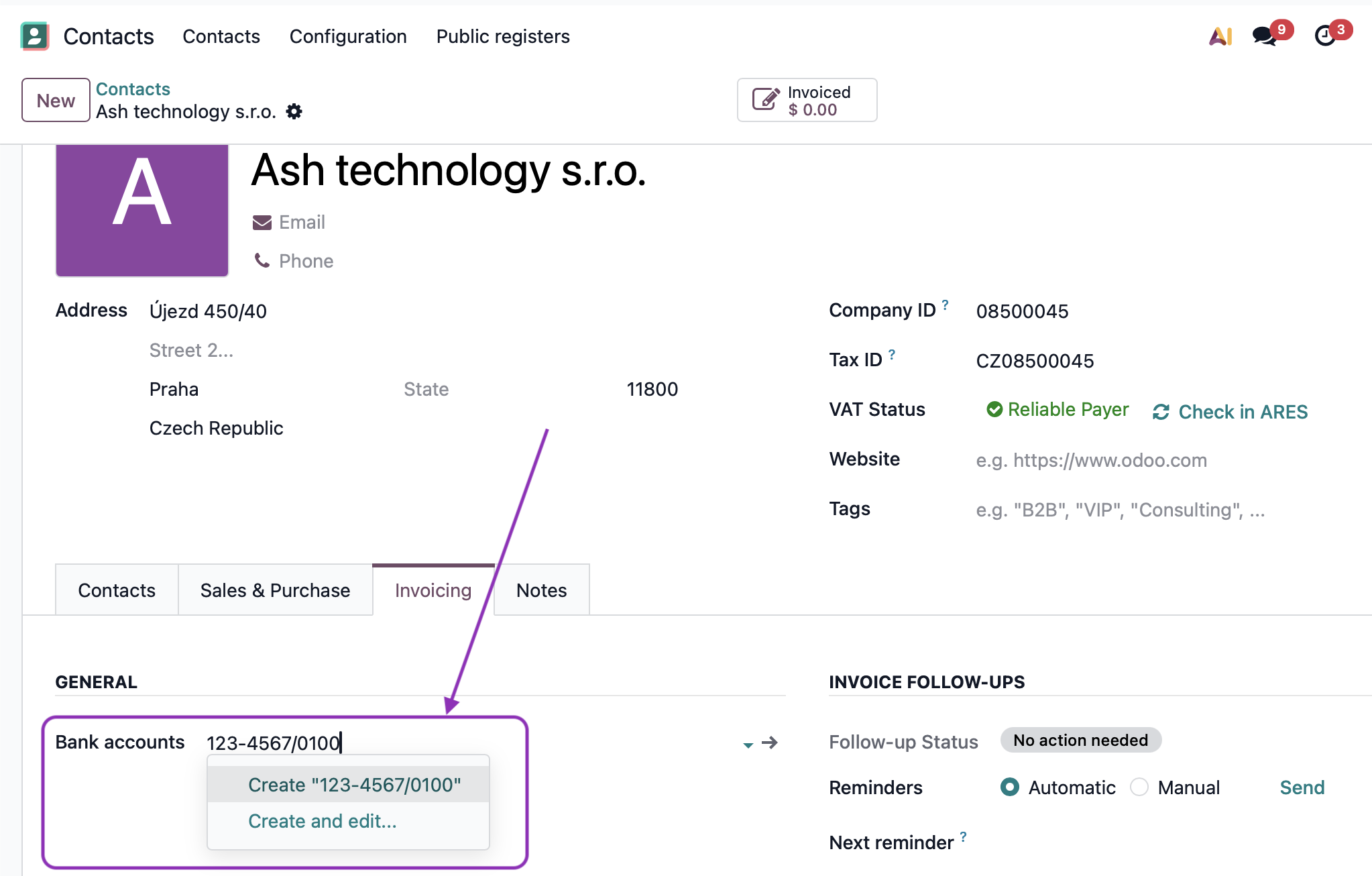
- Czech local format:
-
Currency support:
- ✅ CZK - Standard Czech payments
- ✅ EUR - Cross-border payments (for Slovak companies invoicing Czech customers)
- ❌ Other currencies - Not supported (SPAYD is primarily for CZK and EUR)
-
Use cases:
- Czech company invoicing Czech customers in CZK
- Slovak company invoicing Czech customers in EUR (your use case!)
- Any company with a CZ/SK/EU IBAN invoicing Czech customers

⚡ Quick Setup for Slovak Companies
If you are a Slovak company invoicing Czech customers in EUR:
-
Set up your EUR bank account:
- Go to Accounting → Configuration → Journals
- Select your bank journal
- In the Bank Account field, enter your EUR IBAN (e.g.,
SK6509000000005123456789) - Set Currency to EUR
-
Create invoice for Czech customer:
- Set customer country to Czech Republic (CZ)
- Set invoice currency to EUR
- Confirm the invoice (post it)
-
QR code generates automatically!
- The QR code will be in SPAYD format with
CC:EUR - Czech customers can scan it with their banking app
- Payment will be processed in EUR to your account
- The QR code will be in SPAYD format with
Frequently Asked Questions (FAQ)
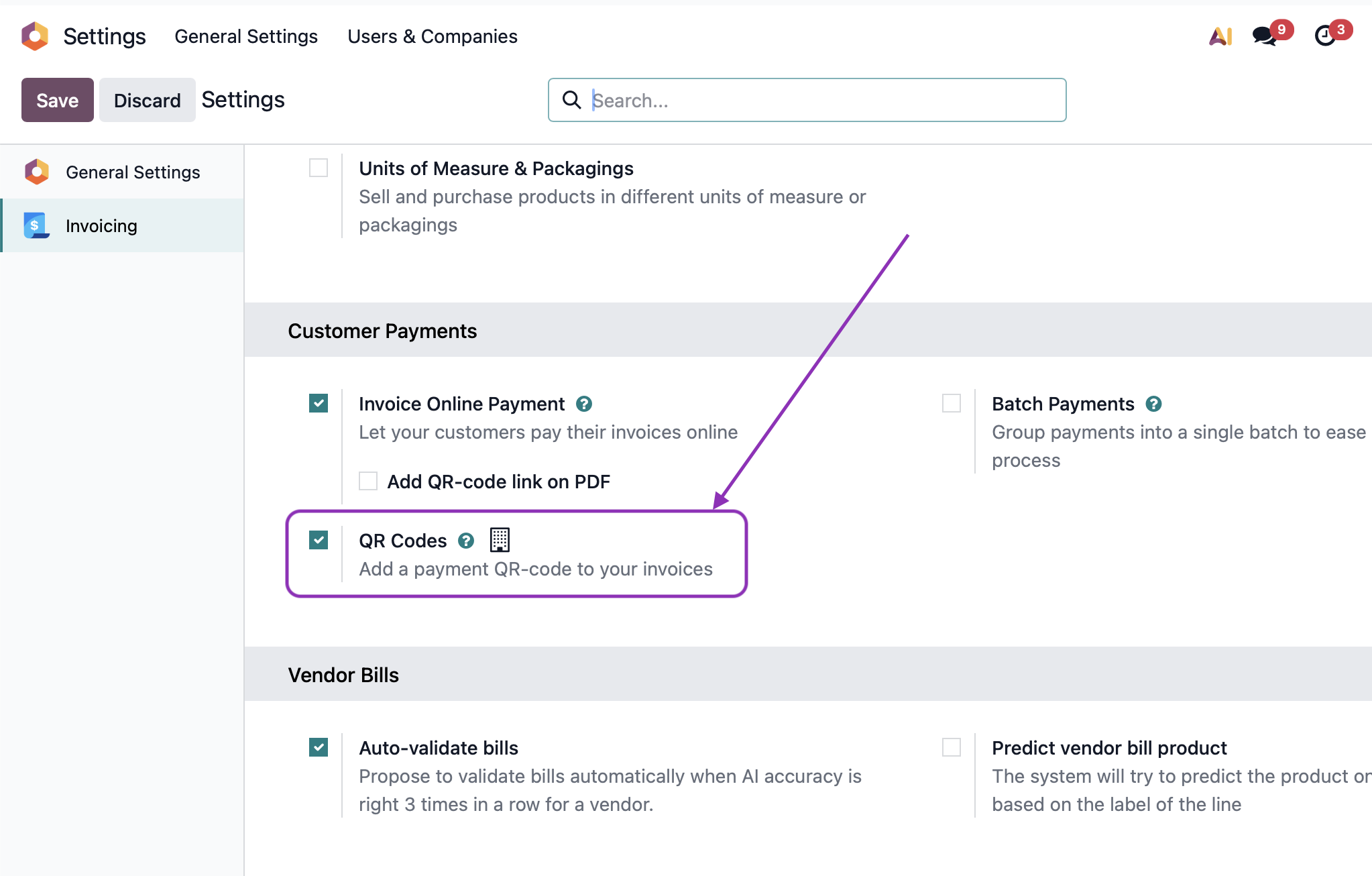
Q: The QR code is not generated on the invoice A: Make sure you have:
- The QR Codes option enabled in the Invoicing app configuration
- A bank account set up for your company with the same currency as the invoice (EUR or CZK)
- The invoice is confirmed/posted

Q: The QR code is generated on the invoice, but scanning it results in an error A: Check whether:
- A bank account for the invoice currency (EUR or CZK) is set up for the company
- The bank account number is in valid format (Czech format
123-456/0800or IBAN) - The customer's banking app supports SPAYD QR codes
Q: Can I use EUR currency with this module? A: ✅ Yes! This module now supports both CZK and EUR currencies. Perfect for Slovak companies invoicing Czech customers in EUR.
Q: Does this work with Slovak (SK) IBAN? A: ✅ Yes! The module handles any valid IBAN (SK, CZ, DE, AT, etc.). If your bank account is already an IBAN, it will be used as-is.
Q: Can I use this for invoices in other currencies (USD, GBP)? A: ❌ No. The SPAYD standard is designed for CZK and EUR. Other currencies are not supported by Czech banking apps via QR codes.
Q: I'm a Slovak company. Will Czech customers be able to pay EUR invoices via QR code? A: ✅ Yes, if:
- Your bank account is a EUR account (Slovak or international)
- The invoice currency is EUR
- The Czech customer's bank supports cross-border EUR payments (most do)
- The QR code will contain
CC:EURand your SK/EUR IBAN
About
This module is developed and maintained by Ash technology s.r.o., an official Odoo partner based in the Czech Republic.
These modules are free and open-source. We welcome your feedback and feature requests – if your idea benefits the community, we're happy to include it.
Contact us:
- Web: www.ashtechnology.eu
- Email: info@ashtechnology.eu
For custom Odoo development or larger projects, feel free to reach out.
Odoo is a trademark of Odoo S.A.